What Does It Mean When a Parcel Is "In Transit"? Tracking Statuses Explained

Table of Contents
A parcel is "in transit" when it is actively traveling through a carrier’s logistics network—whether on a multi-axle linehaul truck, aboard a cargo plane, or temporarily resting at a regional sorting hub. In the simplest terms, it means the shipper has successfully handed the package over to the courier, but the shipment has not yet reached your local delivery station to be marked "Out for Delivery."
Seeing a package remain "in transit" for several days can be confusing for both e-commerce buyers and sellers. However, this status does not inherently mean a package is lost; it simply reflects the physical realities of long-distance freight movement, bulk consolidation, and automated tracking systems.
Editorial Transparency: TransitMetric is an independent logistics education platform. The tracking definitions, transit schedules, and policies discussed in this guide are verified against the standard baseline rules from the 2026 USPS Domestic Mail Manual (DMM), the UPS Rate and Service Guide, the FedEx Service Guide, and U.S. Customs and Border Protection (CBP) regulations governing cross-border freight.
Business-Day Transit Estimator
Calculates Mon–Fri business days (skips Saturdays & Sundays). Does not account for federal postal holidays, weather exceptions, or customs clearance delays.
1. Physical Scans vs. Logical Scans: The Technology Behind Tracking Updates
To understand why a package status sometimes remains unchanged for days, shippers and customers must first understand the operational difference between the two types of tracking updates generated during the linehaul phase (the long-distance transport of freight between major cities).
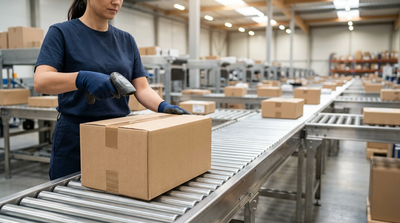
- Physical Scans (Barcodes & RFID): An actual physical scan occurs when a logistics worker uses a handheld scanner, or an automated sorting belt camera reads the package's barcode or RFID (Radio Frequency Identification) tag at a specific geographic checkpoint. This checkpoints include origin sorting hubs, consolidation points, or local delivery units. A physical scan updates the tracking system with an absolute, verified location.
- Logical (Automated) Scans: Also known as system-generated updates, these milestones are created by a carrier's routing software. Rather than verifying a real-time barcode scan, the software predicts a package's movement based on truck dispatch schedules.
- The "In Transit to Next Facility" Loop: If a package is sorted at a regional origin hub and loaded onto a cross-country linehaul truck, tracking systems will often auto-populate logical "In Transit" updates daily. If the truck experiences dwell-time (the period a parcel remains stationary) at a hub or is delayed on the road, these logical updates will continue for up to four consecutive days before halting. Recipients often believe their package is lost at this stage, when it is actually just traveling between physical scanning checkpoints.
2. Carrier-Specific Definitions of "In Transit"
Different carriers operate under distinct logistical frameworks and use unique terminology to denote transit status. Always verify live seasonal adjustments in the current 2026 Service Guides.
USPS (United States Postal Service)
Per the USPS Domestic Mail Manual (DMM), the status "In Transit to Next Facility" indicates the mailpiece has departed an origin sorting hub and is traveling toward the destination network distribution center or local post office. USPS tracking relies heavily on automated logical scans. If no physical scan occurs within a 24-to-48-hour window, the system automatically posts the "In Transit" update for up to four days before stopping completely until the next physical scan is captured.
UPS (United Parcel Service)
According to the UPS Rate and Service Guide, "In Transit" confirms the shipment is moving through the UPS network and is on track for delivery on the specified date. UPS explicitly states that packages are not continuously scanned at every mile of linehaul transit. On a coast-to-coast ground move, a package may go several days without a new physical scan update until it reaches the final destination hub.
FedEx
Under the FedEx Service Guide, "In Transit" means the package is traveling on a FedEx aircraft or truck, or is resting at a regional FedEx facility. Because FedEx ground networks operate linehaul trucks over weekends—even when local delivery stations are closed—packages may remain "In Transit" on Saturdays and Sundays without progressing to the final delivery phase.
DHL Express
According to the DHL Express Terms and Conditions of Carriage, statuses like "Shipment on its way" or "In Transit" signify that the parcel has cleared origin export operations and is moving rapidly via DHL's global air network or cross-border ground transport.
Service Tier vs. Standard Transit Windows (Baseline Rules)
| Service Tier | Standard Transit Window | Tracking Scan Density |
|---|---|---|
| USPS Ground Advantage | 2–5 Business Days | Moderate (mixture of logical and physical scans) |
| UPS Ground / FedEx Ground | 1–5 Business Days | High (physical scans at major regional consolidation hubs) |
| USPS Priority Mail Express | 1–2 Days (Guaranteed) | High-Frequency (real-time physical scans at every sorting node) |
| DHL Express Worldwide | 1–4 Business Days | Global End-to-End (scans at every gateway and customs checkpoint) |
Economy Ground Transit
- Highly cost-effective for B2C e-commerce orders.
- Fewer strict volumetric weight penalties compared to air freight.
- Predictable 1–5 day regional transit windows.
Trade-Offs & Limitations
- High reliance on logical (automated) tracking updates.
- Vulnerable to weekend dwell-time and hub bottlenecks.
- Long periods (2–4 days) between actual physical barcode scans.
3. Why Is My Package Stuck "In Transit"? Key Logistics Bottlenecks
When a tracking status remains stuck on "In Transit" for multiple days, it is rarely because the package has vanished. It is usually due to one of the following standard supply chain realities:
- Missed Consolidation Scans: To optimize sorting hub efficiency, individual parcels are grouped into bulk containers (known as gaylord boxes or air cargo unit load devices). The master container barcode is scanned, but if an individual package's barcode is obscured, its personal tracking status won't update. The package continues its journey "blind" inside the container until it is de-consolidated at the final delivery unit.
- Handoff Latency (Injected Logistics): For economy services (e.g., DHL eCommerce, UPS Mail Innovations, FedEx SmartPost), a private carrier handles the first-mile pickup and long-haul transit, then physically hands the parcel over to USPS for the last-mile delivery to your mailbox. The transitional window during this handoff often creates a 48-to-72-hour tracking pause.
- Customs & Cross-Border Compliance: For international shipments entering the United States, goods are subject to Customs and Border Protection (CBP) inspection. Under 19 CFR § 10.151 (Section 321 / De Minimis), qualifying shipments valued under $800 may bypass formal entry and tariffs, but they can still experience processing pauses while transitioning from international carriers to domestic partners. During this time, the tracking may default to a generic "In Transit" status.
Carrier Exceptions and Weather Tariffs: Under standard carrier tariffs (such as FedEx Service Guide Rule 50 or UPS Terms and Conditions), delivery guarantees are strictly suspended during extreme weather events or severe supply chain disruptions. The package will remain marked as "In Transit," but linehaul operations are temporarily grounded, meaning the guaranteed delivery window is legally voided.
4. How "In Transit" Transitions to the Last-Mile Delivery
A parcel's journey consists of distinct logistical phases. The transition from "In Transit" to a completed delivery involves several operational handoffs.
The Chronological Transit Process
Note: Transit times between these milestones vary heavily based on service tier, weather disruptions, and operational surcharges like Extended Area fees.
The standard steps include:
- First-Mile Logistics: The package is collected from the merchant's warehouse and sent to the carrier's origin distribution center.
- Linehaul Transportation & Consolidation: The package travels long distances between sorting hubs via cargo planes or multi-axle trucks. This is the bulk of the "In Transit" phase.
- Arrival at the Delivery Unit: The parcel arrives at the local post office or courier station responsible for the recipient's exact ZIP code. Here, the status officially transitions from "In Transit" to "Arrived at Facility."
- Last-Mile Delivery: The package is loaded onto a local delivery vehicle, changing its status to "Out for Delivery" for final delivery that day.
- Operational Surcharges & Delays: Additional factors, such as Residential Delivery Fees or Extended Area Surcharges (fees applied to rural or remote delivery zones), can influence transit speeds. Carriers often hold economy or surcharged packages at local delivery units an extra day to consolidate rural routes and control vehicle costs.
Practical Worked Example: Calculating Transit Handoff Latency
To illustrate how logical updates and handoff latency affect transit calculations, consider a merchant shipping a 3 lb package via an economy injected logistics service (e.g., UPS Mail Innovations) from a warehouse in New Jersey to a residential address in Texas.
- Day 1 (Monday): The package receives a physical Origin Scan in New Jersey.
- Day 2 & Day 3 (Tuesday/Wednesday): The package is on a linehaul truck moving cross-country. No physical scans occur. The system auto-generates a logical update: "In Transit to Next Facility."
- Day 4 (Thursday): The package arrives at a regional sorting hub in Texas. It receives a physical scan. However, it is an economy package, meaning UPS must hand it off to USPS for the final delivery. It enters a "dwell time" phase to be consolidated into a master pallet for the post office.
- Day 5 & Day 6 (Friday/Saturday): The handoff occurs, but the local USPS facility has a backlog. The tracking is stuck on "Transferred to Local Post Office - In Transit."
- Day 8 (Monday): USPS processes the pallet, scans the individual package, and marks it "Out for Delivery."
Takeaway: Even though the standard transit window was estimated at 5 days, weekend operations and the 48-hour handoff latency extended the actual delivery to 8 calendar days. The package was never lost; it simply lacked a physical scan while dwelling between two distinct carrier networks.
5. Troubleshooting Steps: What Shippers and Buyers Should Do
If a package exceeds its estimated delivery window while remaining "In Transit," use the following steps to locate the shipment effectively:
For Consumers (B2C Buyers)
- Verify Business Days: Standard shipping calculations exclude weekends and federal holidays. Ensure the guaranteed transit window has actually elapsed before raising an alarm.
- Identify the Handoff Carrier: Check the tracking history to see if the shipment was handed over to a local courier (like USPS) for final delivery. You may need to track the package using the secondary carrier's portal.
- Submit a Missing Mail Search: For USPS shipments, you can submit a Help Request Form or a Missing Mail Search Request online once a package has been in transit without updates for more than 7 business days.
For Merchants (B2B / E-commerce Sellers)
- Assess Dwell Time: Check the dwell time of the shipment at the last recorded sorting hub. If it exceeds 5 business days for ground services, initiate a carrier trace through your commercial portal.
- Check Customs Status: For international orders, verify whether the package is undergoing clearance processing under Section 321 or if the recipient must provide additional customs documentation.
- File a Service Guarantee Claim: If the package was sent via a guaranteed service tier (such as UPS Next Day Air or USPS Priority Mail Express) and missed its strict delivery window due to a linehaul delay, file for a refund of shipping costs under the carrier's standard 2026 tariff rules.
Merchant Optimization Tip: If you notice high volumes of customer service tickets regarding packages stuck "In Transit," consider integrating a post-purchase tracking solution (like AfterShip or Route) that clearly translates logical carrier milestones into plain English. Proactively emailing a customer to say, "Your package is currently driving cross-country and updates will pause for 48 hours," dramatically reduces anxiety and support costs.
6. Official Carrier Resources & Standards
To review official carrier manuals, tracking regulations, and international customs policies in full, consult these publications:
- USPS Domestic Mail Manual (DMM) Section 507: Outlines official mail tracking, physical scan procedures, and package intercept rules.
- UPS Rate and Service Guide / Tariff: Establishes official transit guarantees, linehaul definitions, and rules for physical scans versus scheduled estimates.
- FedEx Service Guide: Outlines ground network transit timelines, weekend operations rules, and service exceptions regarding extreme weather.
- U.S. Customs and Border Protection (CBP) - 19 CFR § 10.151: Explains federal regulations regarding Section 321 / De Minimis clearance delays for international imports.
Frequently Asked Questions
Why has my package been "In Transit" for a week without any updates?
This usually occurs because the parcel is on a long-distance linehaul route, delayed at a congested regional sorting hub, or traveling "blind" without physical scans inside a consolidated bulk container. For standard economy services, gaps of 4 to 7 days between physical scans can happen during peak shipping seasons or cross-border handoffs.
Does "In Transit to Next Facility" mean my package is arriving today?
No. This specific status simply means the package is moving between regional sorting hubs or distribution centers. It will not arrive at your door until the status officially updates to "Out for Delivery" from your local delivery unit.
Can I intercept or redirect a parcel while it is currently in transit?
Yes, but only under certain conditions. Carrier-specific services like USPS Package Intercept, UPS My Choice, or FedEx Delivery Manager allow shippers or recipients to redirect packages to a new address or a retail hold location, provided the parcel has not yet reached the final delivery stage.
What is the difference between "In Transit" and "Out for Delivery"?
"In Transit" means the package is moving through the carrier's broader network between facilities, cities, or states. "Out for Delivery" indicates the package has successfully reached the local delivery unit, been scanned by final-mile staff, and is currently loaded onto a courier vehicle for final delivery that exact day.
Frankie analyzes carrier rate structures, 3PL fulfillment services, and shipping software to uncover hidden fees and operational efficiencies—helping you build a faster, more profitable e-commerce supply chain.