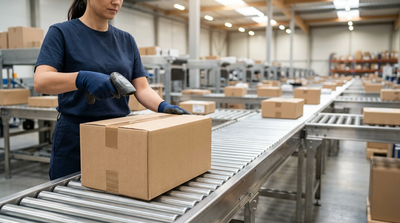
What Does "In Transit" Mean? Tracking Statuses Decoded

Table of Contents
"In Transit" means your package is moving through the carrier’s logistics network between sorting facilities. It does not mean it is on a local delivery truck. Your shipment is traveling by truck, rail, or air, or is queued at a distribution hub awaiting its next physical barcode scan.
Editorial Transparency: TransitMetric is an independent logistics education platform. The tracking protocols, definitions, and transit timelines detailed in this guide are sourced directly from official guidelines including the USPS Domestic Mail Manual (DMM), the UPS Rate and Service Guide, and the FedEx Service Guide.
Business-Day Transit Estimator
Calculates Mon–Fri business days (skips Saturdays & Sundays). Does not account for federal postal holidays, weather exceptions, or customs clearance delays.
How Carrier Networks Process Packages "In Transit"
The Hub-and-Spoke Logistics Network
To understand why a package remains "In Transit" for days at a time, it helps to understand how modern shipping carriers operate. Major logistics networks use a "hub-and-spoke" model:
- The Spokes: Local post offices, retail shipping centers, and regional drop boxes where packages are initially received.
- The Hubs: Massive regional sortation centers and distribution hubs where packages from various spokes are consolidated, sorted by destination zip code, and dispatched on long-haul transport.
When a tracking status reads "In Transit," the package is currently traveling from a local spoke to a central hub, between two major regional hubs, or from a destination hub down to the final delivery spoke.
"Illusory Motion" vs. Real-World Movement
A common misconception is that "In Transit" means a vehicle is actively moving your package at that exact moment. In logistics terms, a package is classified as "In Transit" even during several stationary periods due to two primary practices:
- Containerization: To move millions of packages efficiently, carriers load individual boxes into large shipping containers. These include Gaylord boxes (large corrugated boxes that fit perfectly onto a standard shipping pallet) or Unit Load Devices (ULDs) (standardized aluminum containers used to load freight onto commercial aircraft). Once sealed, the individual packages inside are associated with the container's master barcode. The individual tracking numbers will not receive a physical scan again until the container is opened at the destination hub.
- Batch Scanning: When a transport trailer or container departs a yard, the carrier's system automatically executes a "batch scan." This updates all associated tracking numbers inside that trailer to "In Transit" simultaneously, even if the vehicle is temporarily delayed in the yard due to dispatch queues or traffic.
Tracking Tip: If your package shows multiple "In Transit" scans at the same location over a few days, it is likely containerized inside a trailer that is parked in a sortation facility's yard awaiting its turn to be unloaded.
Carrier-Specific Definitions & System Behaviors
Different carriers utilize different automated tracking logic, system rules, and scanning frequencies. Knowing which carrier you are dealing with is crucial to interpreting the status.
Standard Package Lifecycle
Note: Transit milestones vary by carrier service level, origin-destination distance, and whether the parcel is traveling via ground freight or air cargo.
USPS: "In Transit to Next Facility"
The United States Postal Service (USPS) operates under strict system rules. Their tracking engine is designed to keep customers informed even when a package is on a cross-country truck.
- The 24-Hour Scan Loop: If a package does not receive a physical scan from an optical reader or postal worker within 24 hours of departing a facility, the USPS tracking system automatically generates a status update reading: "In Transit to Next Facility."
- The 3-Day Limit: This auto-generated status repeats once every 24 hours for up to three consecutive days. If no physical scan occurs by the fourth day, the automated updates stop, and the tracking will appear stalled until the package arrives at the next sorting center.
Worked Example: The USPS Auto-Update Loop
To illustrate how the USPS tracking system handles long-haul ground transport, consider a hypothetical USPS Ground Advantage shipment traveling by truck from Los Angeles to New York:
- Monday, 8:00 PM: Package physically scanned departing the Los Angeles Network Distribution Center (NDC).
- Tuesday, 8:00 PM: Package is somewhere in Arizona. No physical scan. System auto-generates: "In Transit to Next Facility."
- Wednesday, 8:00 PM: Package is in Texas. No physical scan. System auto-generates: "In Transit to Next Facility."
- Thursday, 8:00 PM: Package is in Ohio. No physical scan. System auto-generates: "In Transit to Next Facility." (This is the 3rd and final automated update).
- Friday, 8:00 PM: Package is in Pennsylvania. No update generated. The tracking appears frozen to the buyer.
- Saturday, 6:00 AM: Package is unloaded and physically scanned at the New York NDC. Tracking resumes normal updates.
UPS: Active Network Flow
According to the UPS tracking directory, "In Transit" signifies that the shipment is actively moving through the UPS network. UPS ground shipments may go several days without an active scan if they are traveling long distances across regional shipping zones. A package retains the "In Transit" status until it arrives at the local destination facility and receives a "Destination Scan," which precedes the final transition to delivery.
FedEx: Network Travel & Ramps
The FedEx definition of "In Transit" explicitly covers both movement and stationary periods. A package sitting inside a trailer parked at a regional hub yard, or consolidated on an airport ramp awaiting flight clearance, is designated as "In Transit" because it remains actively managed within the FedEx Ground or FedEx Express network.
DHL Express: Global Milestones
For international shipments, DHL Express typically alternates the broad "In Transit" status with specific physical milestones. Users will see "In Transit" quickly shift to "Arrived at Sort Facility" or "Departed Facility" as shipments move rapidly through international customs and transit gateways.
Quick Reference: Carrier Tracking Logic
| Carrier | Primary Status Text | Automatic System Updates? | Typical Time Between Scans | Trigger for Next Milestone |
|---|---|---|---|---|
| USPS | "In Transit to Next Facility" | Yes (generates daily for 3 days) | 12 to 48 Hours | Arrival scan at local sorting hub or delivery unit |
| UPS | "In Transit" | No (requires physical scan) | 24 to 72 Hours (distance dependent) | Destination Scan at local delivery hub |
| FedEx | "In Transit" | No (requires physical scan) | 24 to 48 Hours | Arrival at local FedEx station |
| DHL | "In Transit" / "Departed" | No (requires physical scan) | 12 to 24 Hours | Sorting facility arrival or customs release scan |
Why Packages Get Stuck "In Transit" (Common Bottlenecks)
If your package's status has not updated for several days beyond standard automated loops, it is likely held up by one of the following logistical constraints.
1. Sortation Facility Backlogs
High-volume processing plants frequently encounter sorting backlogs during peak holiday seasons or weather events. Incoming trailers are parked in the facility's yard and placed in an unloading queue. Because the packages remain sealed inside the trailers, they cannot receive physical scan updates and appear stuck "In Transit."
2. The 24-to-72-Hour Scan Gap
For long-haul shipments traveling by freight truck or rail across the United States, there may be several thousand miles between major regional hubs. A truck driver may travel for two to three days without stopping at a sorting facility to unload and scan cargo, resulting in a prolonged but completely normal gap in tracking history.
3. Missed Cutoff Times
Distribution centers operate on strict dispatch schedules. If a package is sorted and processed but misses the scheduled evening departure cutoff time for its outbound trailer, it will remain stationary at that facility overnight. However, its digital status may still reflect "In Transit" because it has been designated for that transport run.
4. Customs and CBP Holds (International Shipments)
For inbound international shipments entering the United States, "In Transit" often covers the time spent sitting in a Customs and Border Protection (CBP) bonded yard, a Container Freight Station (CFS), or a holding queue.
Compliance Warning: High volumes of low-value e-commerce imports—cleared under Section 321 de minimis rules (allowing duty-free entry for shipments under $800)—can bottleneck at major entry ports. If CBP flags a consolidated shipment container for an X-ray or physical inspection, all tracking numbers inside that container will remain stuck "In Transit" until the entire container is formally released by customs authorities.
"In Transit" vs. "Out for Delivery" and Other Key Milestones
To track packages accurately, shippers and buyers must distinguish between early, intermediate, and final shipping milestones:
- Origin Scan: The initial physical barcode read. This occurs when the carrier first accepts the package from the sender (or scans it off a drop-off bin), confirming the item is officially inside the shipping network.
- In Transit: The active transport phase. The shipment is moving between origin, intermediate, and destination distribution hubs.
- Out for Delivery: The transition to the last-mile phase (the final leg to the consumer). This status is only triggered when a package is physically scanned onto a local courier's delivery vehicle (e.g., a USPS mail carrier, a UPS package car, or a FedEx ground van) and is scheduled for final delivery that day.
- Exception Scan: A warning indicator. An exception scan means an event has interrupted the normal transit flow—such as an unreadable shipping label, an incorrect address, custom delays, or severe weather conditions.
Troubleshooting Stalled Shipments: Action Steps for Merchants and Buyers
When a package remains stuck in transit beyond its Estimated Delivery Date (EDD), specific procedures should be initiated depending on your role in the transaction.
For E-Commerce Merchants
If a customer's package is stalled "In Transit," proactive intervention helps protect customer satisfaction and prevent chargebacks:
- Verify Routing Integrity: Review the tracking history for routing loops (where a package bounces back and forth between two regional hubs due to a damaged barcode). If a loop is identified, contact your carrier representative immediately.
- Initiate Address Correction: If you notice an address error while the package is still in transit, use services like UPS Delivery Intercept or FedEx Address Correction. Note that carriers charge variable administrative fees for changing a delivery address mid-transit.
- File an Inquiry: For USPS shipments stalled for more than 5 business days, submit a Help Request Form via the USPS website to prompt a physical search at the last scanned sorting facility.
For Retail Consumers
If you are waiting for a personal delivery that appears stalled:
- Check Service-Level Agreements (SLAs): Standard shipping services do not guarantee exact delivery dates. For example, USPS Ground Advantage has a delivery window of 2 to 5 business days, meaning a package is not technically "late" until that full window has closed.
- Allow for Transit Gaps: Avoid filing claims if the package has been in transit for less than 48 hours without a scan, particularly during holidays or severe weather events.
- Contact the Sender: If the package has passed its delivery window by more than 3 business days, notify the merchant. Shippers hold the actual contract with the carrier and have direct channels to initiate missing mail searches and file insurance claims.
Frequently Asked Questions About "In Transit" Statuses
Does "In Transit" mean my package is arriving today?
No. "In Transit" indicates the package is still traveling within the carrier’s regional network. Your package will only arrive on the day its tracking status changes specifically to "Out for Delivery."
Why is my package stuck "In Transit to Next Facility" for several days?
This typically occurs when a package is traveling a long distance between major distribution hubs without intermediate scanning stops, or when the receiving facility is experiencing a backlog and has not yet unloaded and scanned the incoming transport trailer.
What is the difference between "In Transit" and "Out for Delivery"?
"In Transit" means your package is moving between sorting facilities on a long-haul trailer or aircraft. "Out for Delivery" means the package has successfully arrived at your local post office or courier station, has been loaded onto a local delivery vehicle, and will be delivered to your address by the end of the day.
Who do I contact if my shipment has been "In Transit" past its delivery date?
If you are the buyer, contact the e-commerce merchant or sender first. Because they hold the commercial shipping contract with the carrier, it is much faster and easier for them to file claims, launch missing package investigations, or issue replacements on your behalf.
Official Carrier Resources & Standards
For further details regarding carrier scanning procedures, transit rules, and service definitions, consult the official documentation provided by the major shipping networks:
- USPS Tracking Support & Status Guides: USPS FAQ Portal
- UPS Rate, Service, and Tracking Definitions: UPS Tracking Support
- FedEx Service Guides & Tracking Exceptions: FedEx Service Guide
Frankie analyzes carrier rate structures, 3PL fulfillment services, and shipping software to uncover hidden fees and operational efficiencies—helping you build a faster, more profitable e-commerce supply chain.